How to Make a Drake Burning Bridges AI Video
Learn how to make a Drake Burning Bridges AI video from one photo with Seedance 2.5, including photo tips, the generation steps, pricing, and common fixes.
 Drake Burning Bridges AI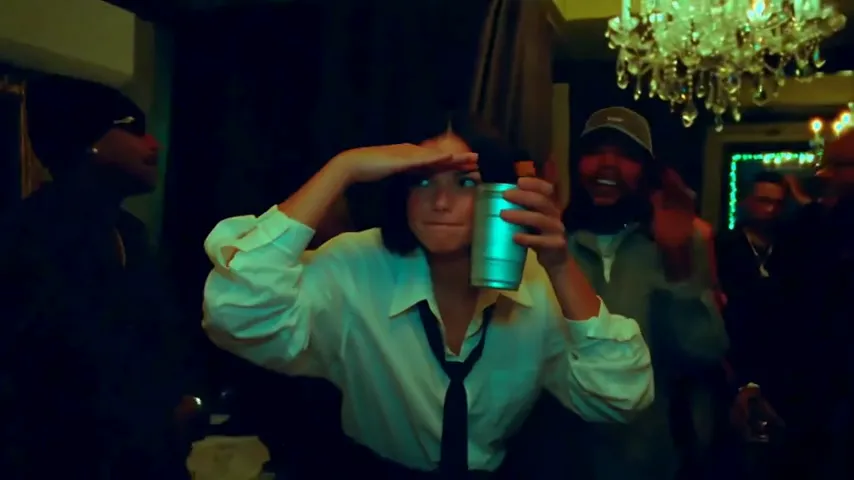
If you have seen the Drake Burning Bridges AI video trend and want to make your own version, you can start with one clear photo. Drake Burning Bridges AI turns that photo into an 18-second, 16:9 music-video take with Seedance 2.5.
Open the Drake Burning Bridges AI generator and follow the steps below.
1. Choose the right photo
Use a JPG, PNG, or WebP photo with one consenting person. A clear face, even lighting, and a visible outfit give the model more information to work with. Waist-up and full-body photos usually preserve the pose and wardrobe better than tight selfies.
Avoid sunglasses, extreme filters, heavy motion blur, screenshots with text over the face, and photos where the subject is mostly hidden. The uploader checks the actual file type and image dimensions before it reaches storage.
2. Upload and let the photo check finish
The browser corrects the photo orientation and prepares a copy up to 2048 pixels before upload. The server then checks the image signature, dimensions, and file size. Images must be at least 300 pixels and no larger than 10 MB.
The photo is stored in Cloudflare R2 and checked by the content-safety filter before credits are used. If the check flags an image, choose another photo rather than retrying the same file.
3. Describe the take you want
Keep the prompt concrete. You can describe the mood, wardrobe, camera energy, or how you want to enter the room, but the fixed Burning Bridges scene already supplies the party setting and camera choreography. For example:
A confident entrance, relaxed smile, warm amber light, natural eye contact, and a smooth turn toward the camera.
The model uses the photo as the identity reference and rebuilds the performance around it. Avoid asking for a different real person or using a photo without permission.
4. Start the generation
Review the image and prompt, then click the generator button yourself. The video request is submitted only after you are signed in and have enough credits. Seedance 2.5 creates one 18-second MP4 at 720p with generated synchronized audio and no watermark.
You can leave the page while the video renders. Return to History to check the task and download the finished MP4.
5. Pick a one-time video pack
Drake Burning Bridges AI uses one-time packs instead of subscriptions:
- 1 video — $9.90
- 3 videos — $24.99
- 8 videos — $59.99
Credits never expire. Failed generations automatically return the reserved credits, so you can adjust the photo or prompt and try again.
Quick troubleshooting
The upload is rejected: use a real JPG, PNG, or WebP file at least 300 × 300 pixels and under 10 MB.
The face looks soft: use a brighter, sharper photo with the full face visible and fewer filters.
The pose feels wrong: try a waist-up or full-body image and describe the pose in one short sentence.
The task takes time: video generation normally takes several minutes. Check History instead of submitting repeated requests.
Ready to try it? Make your Drake Burning Bridges AI video.